Automated Smoke Testing
Run all deeplinks sequentially with video recording and screenshot capture. Test cold starts, warm starts, and normal flows automatically. Set it and walk away.
Deeplinks, push notifications, location simulation, screenshot comparison, app size monitoring, and full simulator control—all from your Mac menu bar. Free to start.
From deeplink testing to push notifications, location simulation to screenshot comparison—everything an iOS developer needs.
Run all deeplinks sequentially with video recording and screenshot capture. Test cold starts, warm starts, and normal flows automatically. Set it and walk away.
Automatically record MP4 videos of every deeplink test. Files organized by app, date, and test mode.
Capture screenshots at configurable delays. Perfect for visual regression testing and QA documentation.
Manage deeplinks for multiple apps with separate production and development bundle identifiers. Switch environments instantly.
Generate QR codes for any deeplink URL instantly. Share deeplinks with team members or scan from physical devices for quick testing.
Full simulator management built-in. Boot, shutdown, create, clone, rename, erase, and delete without leaving the app.
Share deeplink collections via JSON. Import with smart conflict handling—skip or overwrite duplicates.
Deeplinks stored separately for prod and dev. Never mix staging URLs with production ones.
Send custom push notifications to the simulator with full payload control—badge, sound, custom data, silent, and mutable content. Save and reuse notification templates.
Simulate GPS locations on the simulator. Pick from preset cities or enter custom coordinates. Test geo-fencing and location-based features instantly.
Read, edit, add, and delete UserDefaults entries on the simulator in real time. Debug feature flags, onboarding states, and cached preferences without rebuilding.
Measure and track your app’s install size over time. Compare builds, spot regressions, and keep your app lean with historical size charts.
Compare screenshots side-by-side, overlay, or with difference highlighting. Catch visual regressions across builds and generate comparison reports.
Float a transparent overlay on the simulator with pixel grids, rulers, and safe area guides. Verify your layouts match design specs without switching tools.
Sync your deeplinks, app bundles, and configurations across all your Macs via iCloud. Work seamlessly between office and home setups.
LinkLab stores your deeplinks and app data locally on your Mac. Optional iCloud sync stays within your Apple ecosystem. We never see your data.
Works completely offline. No internet needed to test deeplinks, send push notifications, record videos, or capture screenshots.
We never collect, see, or transmit your deeplinks, push payloads, or app configurations. Anonymous crash reports and basic analytics help improve the app—never your data.
All data stored locally on your Mac. Optional iCloud sync keeps data within your personal Apple ecosystem—we never host your data on our servers.
Videos and screenshots save to a folder you choose. JSON exports stay on your disk. You own 100% of your data.
Safe for corporate environments. App Sandbox and Apple notarization ensure security. Your proprietary deeplinks and configurations stay on your machine.
Never intercepts or logs your deeplink URLs. Your routing paths, query parameters, and push payloads stay completely private.
Select one or multiple modes. LinkLab runs your deeplinks through each mode automatically.
Opens the app if it's not running, then triggers the deeplink. If already open, triggers immediately. The default everyday mode.
Kills the app completely, then triggers the deeplink. Tests how your app handles deeplinks on a fresh launch from a terminated state.
Sends the app to the background, then triggers the deeplink. Tests how your app resumes and handles deeplinks from a suspended state.
Get started free with core features. Upgrade to Pro for the full toolkit—all plans include every feature.

Core deeplink testing, simulator control, and basic tools—free forever.
Download, subscribe, and manage through Apple. Secure and familiar.
No lock-in. Manage your subscription through Apple ID settings.
Available on the Mac App Store. All subscriptions managed through your Apple ID.
Payment will be charged to your Apple ID account at confirmation of purchase. Subscriptions automatically renew unless auto-renew is turned off at least 24 hours before the end of the current period. Terms of Use · Privacy Policy · Apple's Standard License Agreement
Enter your app's bundle identifier for production and development environments.
Create deeplinks with titles, URLs, and time delays. Or import from a JSON file.
Select Normal, Cold Start, Warm Start—or all three to run sequentially.
Hit Smoke Test. LinkLab records videos and captures screenshots, organized by app and date.
See how easy it is to test deeplinks, run smoke tests, and capture recordings across multiple apps and environments.
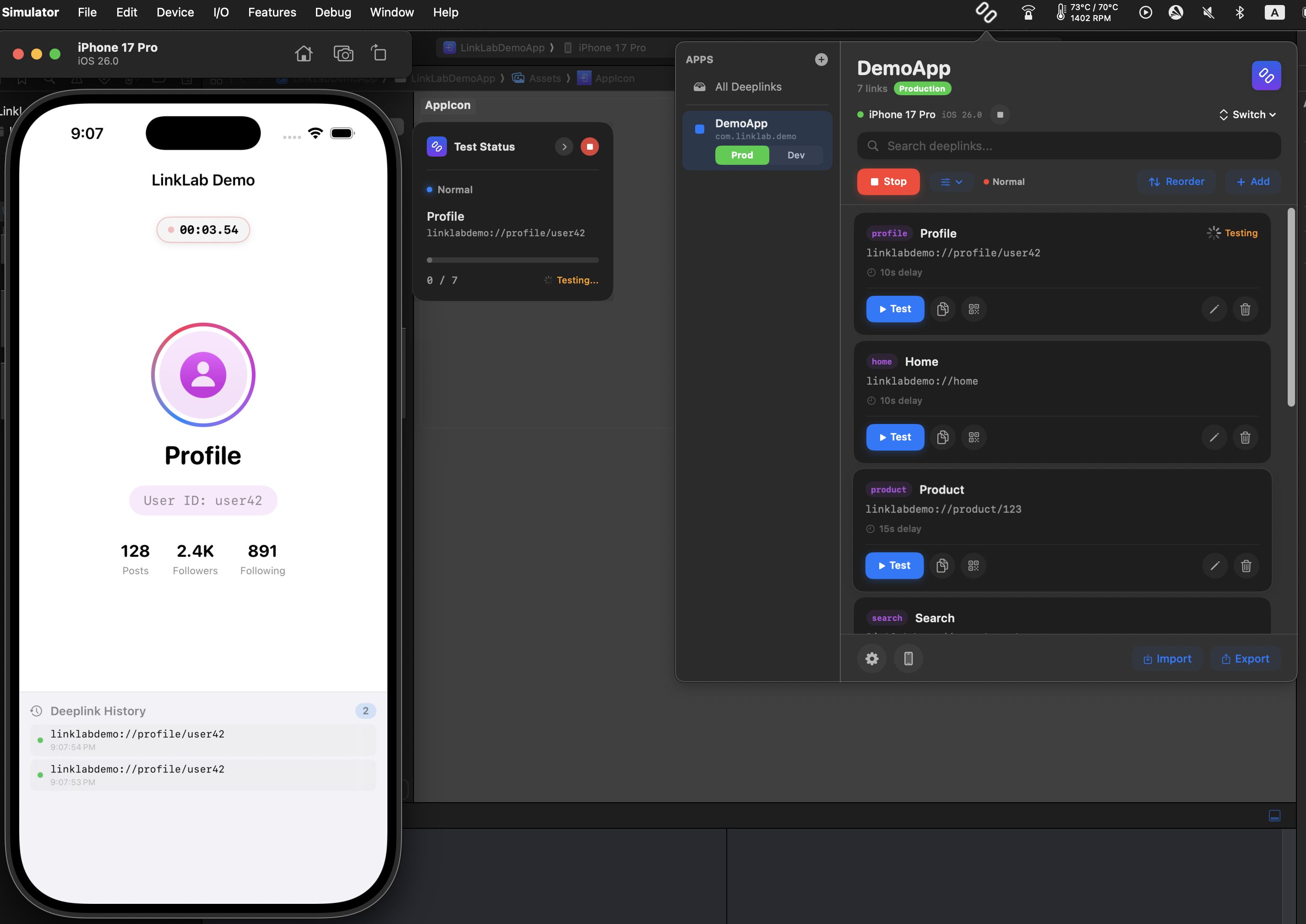
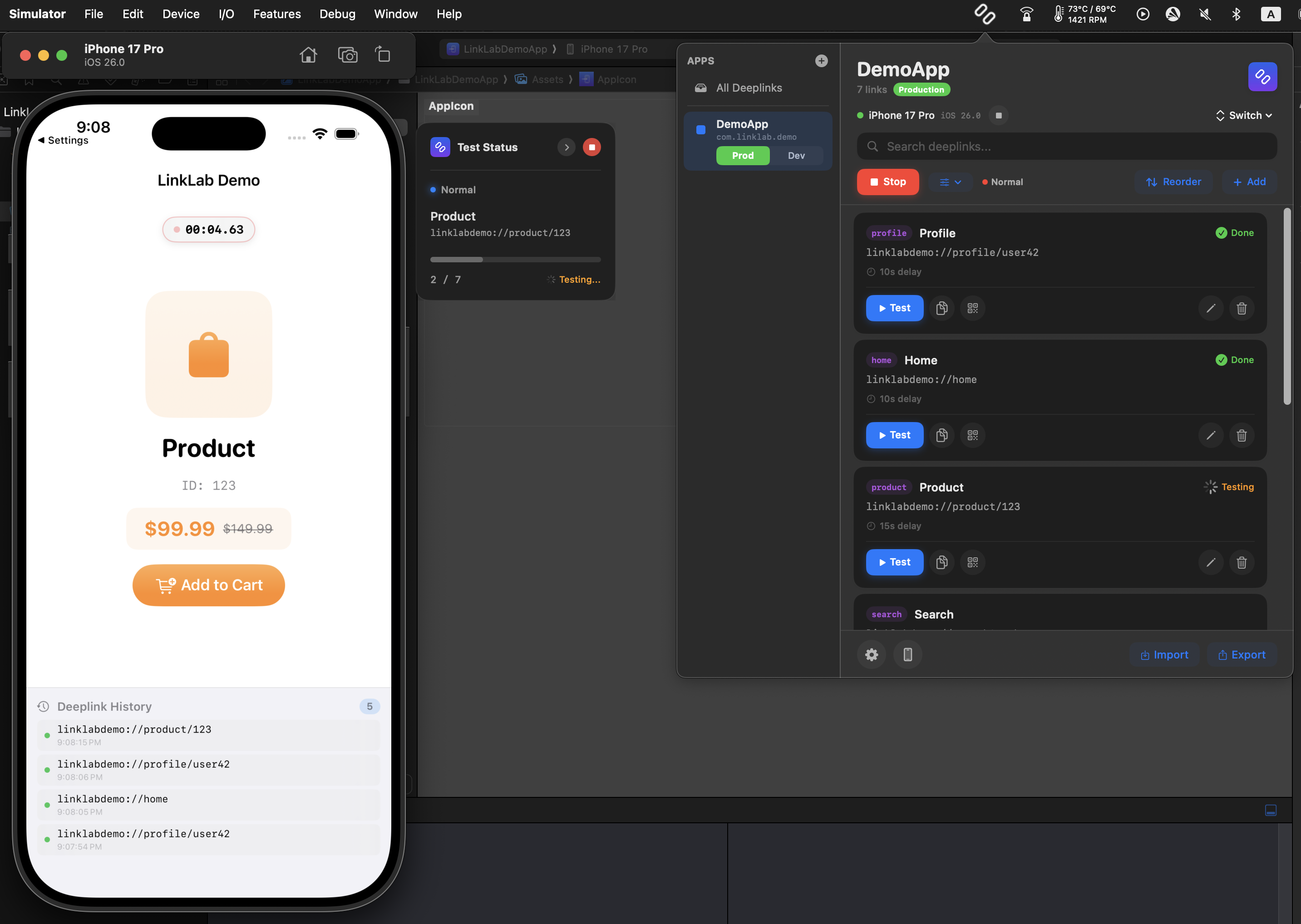
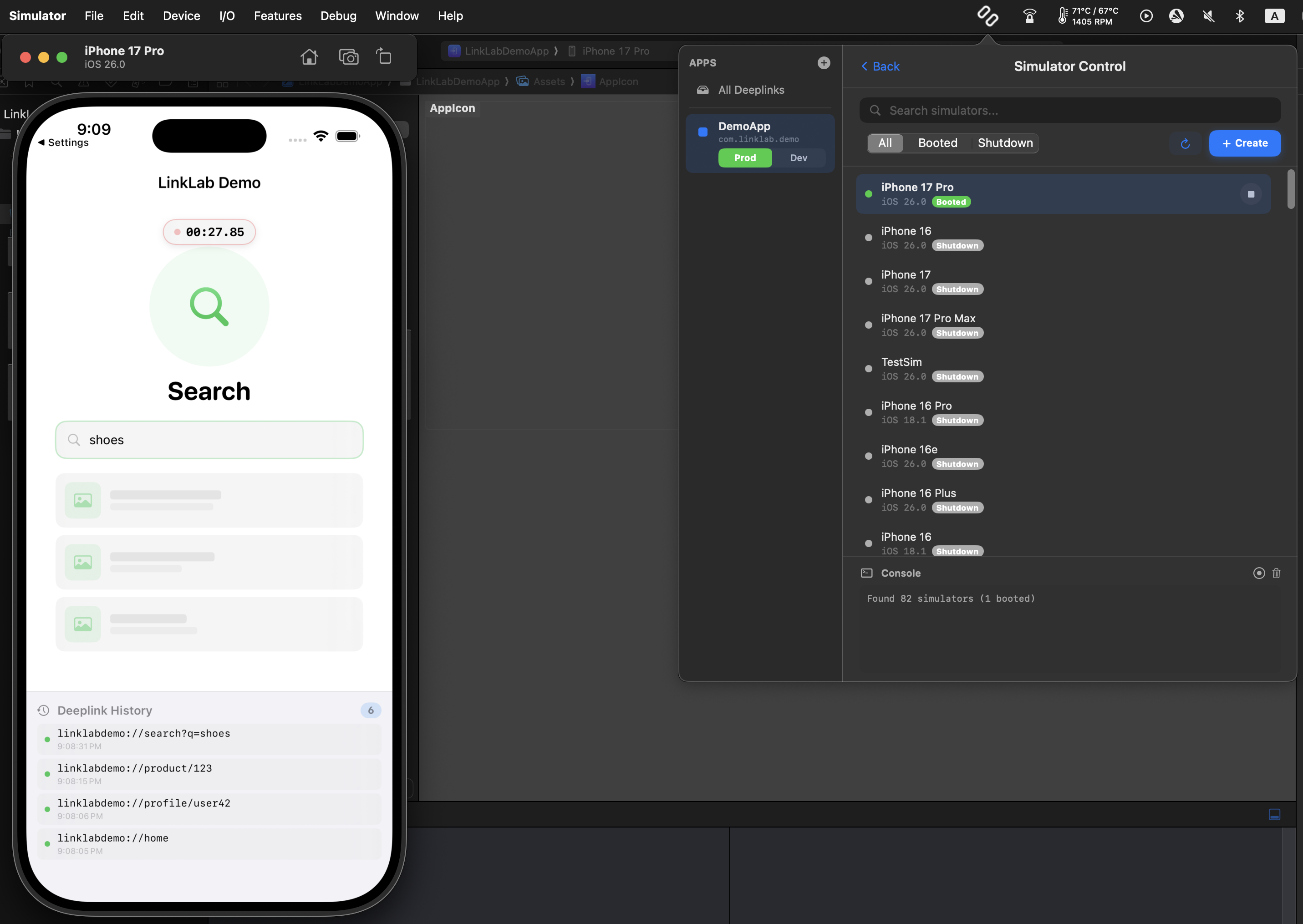
LinkLab is a macOS menu bar toolkit for iOS developers. It includes 15 tools: deeplink testing with smoke test automation, push notification testing, GPS location simulation, screenshot comparison, app size monitoring, UserDefaults editing, design overlay, full simulator control, video recording, screenshot capture, QR code generation, import/export, and iCloud sync.
Yes. LinkLab has a generous free tier that includes core deeplink testing, basic simulator control, and essential tools. Upgrade to Pro to unlock unlimited app bundles, all developer tools (push notifications, location simulation, screenshot compare, design overlay, app size monitor, UserDefaults editor), and iCloud sync.
Yes. LinkLab works with any URL scheme including custom app schemes (myapp://), HTTPS universal links, and HTTP links. It triggers deeplinks via xcrun simctl on the iOS Simulator.
LinkLab currently targets the iOS Simulator using xcrun simctl. For real device testing, you can use the QR code feature to quickly scan and open deeplinks on a physical device.
Yes. LinkLab is privacy-first. All your deeplinks, push payloads, recordings, and configurations are stored locally on your Mac. Optional iCloud sync keeps data within your Apple ecosystem. Anonymous crash reporting and basic usage analytics help us improve the app but never collect personal data or your content.
LinkLab requires macOS 14 (Sonoma) or later and Xcode with iOS Simulator installed. It runs as a lightweight menu bar app that stays out of your way.
Yes. Export your deeplink collection as a JSON file and share it with team members. They can drag-and-drop it into LinkLab with smart duplicate handling. Pro users can also sync via iCloud across multiple Macs.
By default, files are saved to ~/Desktop/LinkLab. You can configure a custom output directory in Settings. Files are organized as: App Name → Date → Test Mode → Files (with simulator name in the filename).
Normal opens the app if needed and triggers the deeplink. Cold Start kills the app first to test fresh-launch handling. Warm Start backgrounds the app first to test resume behavior. You can select multiple modes to run sequentially.
LinkLab is available on the Mac App Store with flexible subscription plans: monthly ($4.99), 6 months ($17.99), or yearly ($19.99). All Pro plans include every feature with no limitations. You can cancel anytime through your Apple ID subscription settings.
Download free from the Mac App Store. 15 tools in your menu bar, starting at $4.99/month.